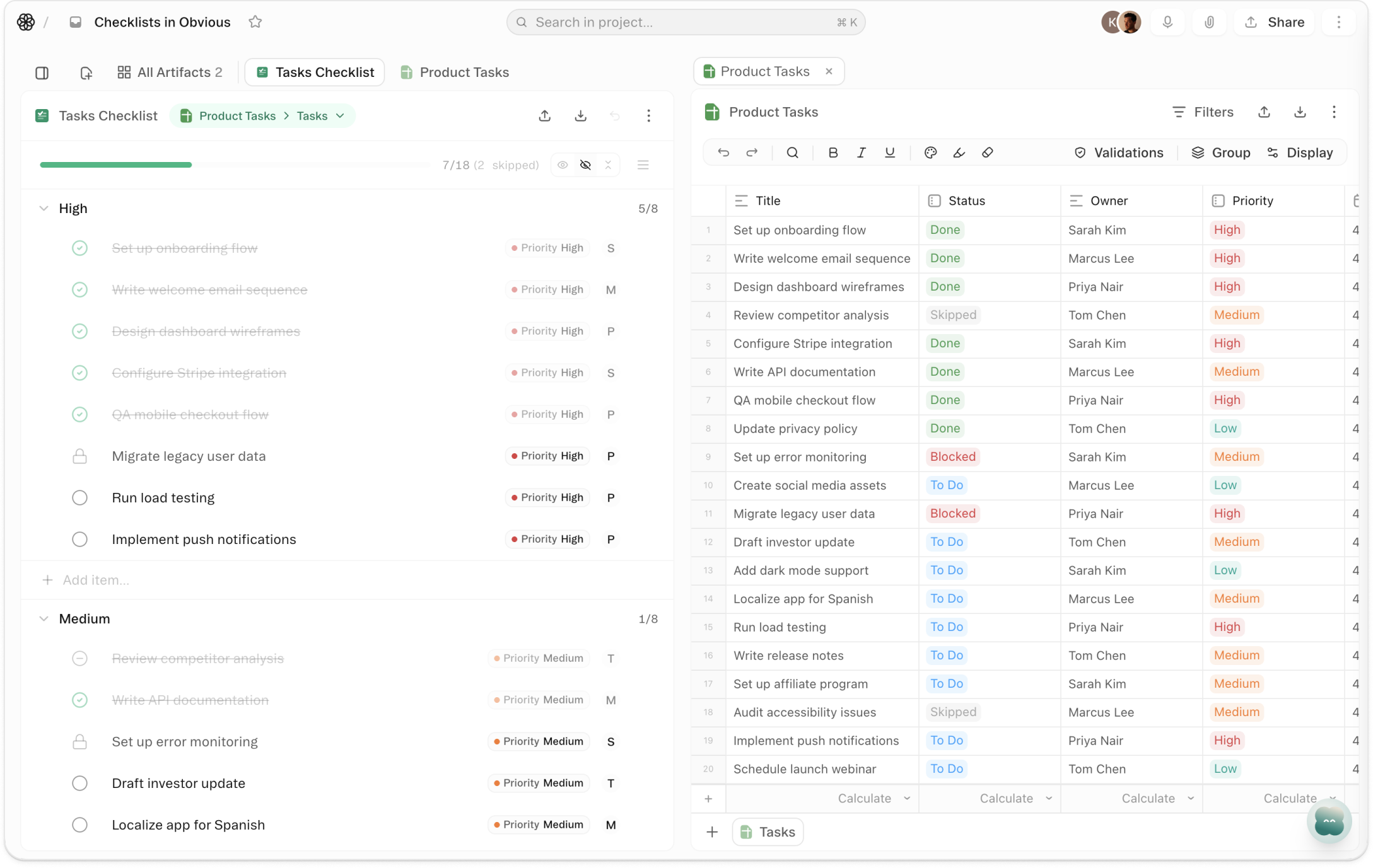
About Checklists
Pick any sheet with a title field and a completion field. Obvious infers the mapping. Click Create. The rows become checklist items — each with a checkbox, a strikethrough when it's done, and a progress bar at the top tracking how many are finished. Check something off in the checklist and the value updates in the sheet instantly. Nothing lives in two places. Nothing gets out of sync.
Drag items to reorder by priority — the sheet's row order stays untouched. Add new items from the input at the bottom and watch them write back to the sheet immediately. Collapse completed items so only what's left is visible. When the last item is checked, the list knows: "All done!" Not a status column to filter. Not a count to calculate. A view built for getting through the list.
A spreadsheet is the right tool for storing a list. It's not built for working through one. Checklists gives you the interaction model of a checklist with the data model of a sheet — at the same time, with no duplication. The list you've been managing in a sheet for months becomes a checklist in one step. Every view, automation, or report built on that sheet keeps working. The surface changed. Nothing else did.
Videos
Templates
Start with a template that uses this feature


Shortcuts
One-click prompts to try this feature
Launch Go/No-Go Review
Turn my launch tracking sheet into a live checklist for the team review
Sprint Task View
See what's left in my current sprint without the spreadsheet grid
Onboarding Sequence
Set up a repeatable client onboarding checklist I can reset each cycle
FAQ
Get help with Checklists
Find guides, tutorials, and support articles in our help center.
Visit help center →